

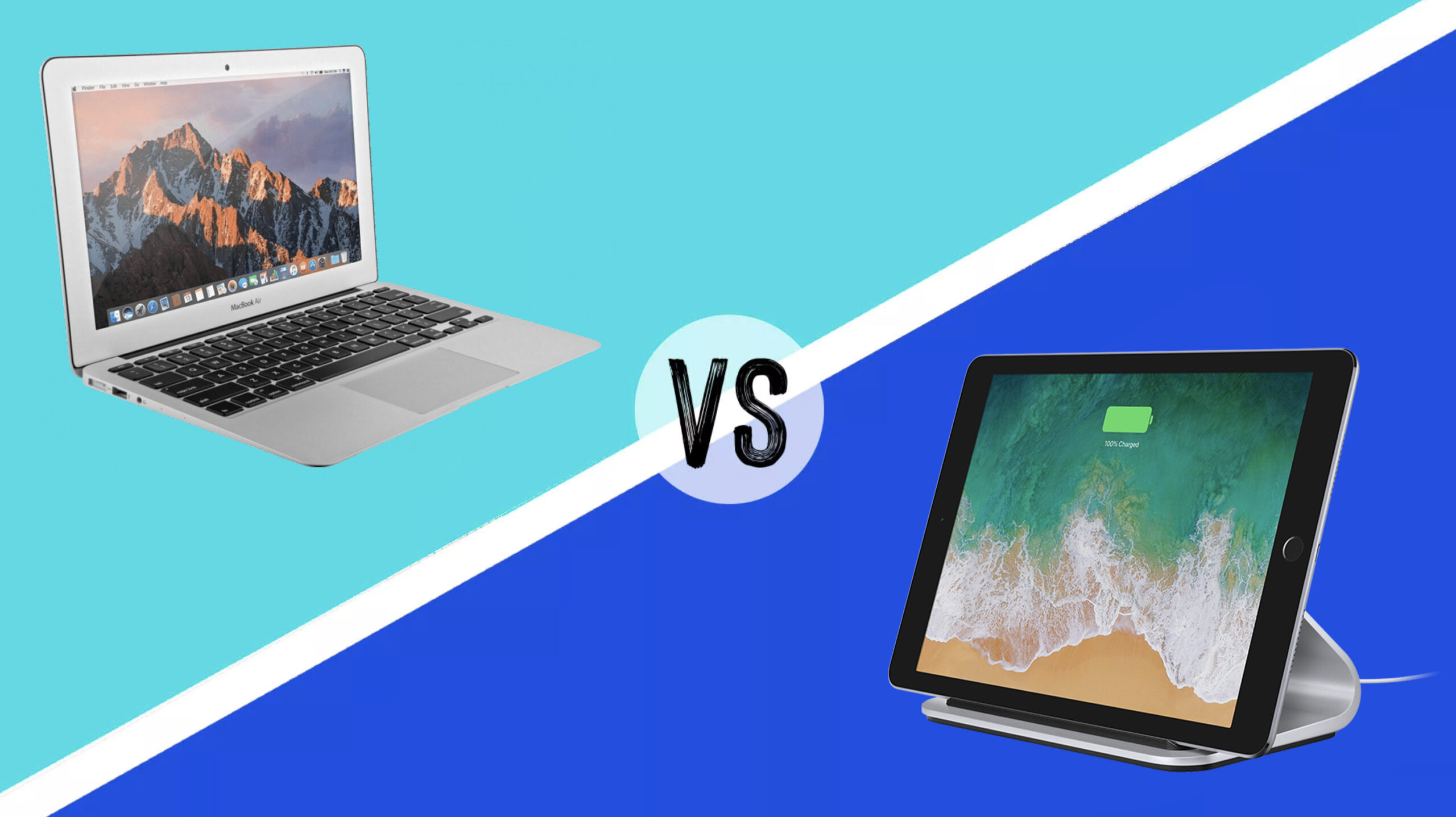
Laptops and tablets increasingly share the same processors, applications, and accessories, but they remain fundamentally different types of devices. A laptop is built around a keyboard, trackpad, desktop operating system, and self-supporting display. A tablet prioritizes touch input, portability, media consumption, and optional pen support.
For most buyers choosing a single primary computer, a laptop provides better overall value. It normally includes the keyboard and trackpad, supports a wider range of professional software, and handles complex multitasking with fewer compromises.
A tablet can be the better investment for digital note-taking, illustration, reading, entertainment, fieldwork, and travel. The final decision depends less on processor benchmarks and more on what the device must accomplish every day.
Laptop vs. Tablet: Quick Comparison
| Category | Laptop | Tablet | Winner |
|---|---|---|---|
| Typing and office work | Built-in keyboard and trackpad | Keyboard often sold separately | Laptop |
| Portability | Portable but generally heavier | Thinner and lighter | Tablet |
| Professional software | Full desktop applications | Mobile or tablet versions | Laptop |
| Drawing and handwritten notes | Limited unless convertible | Excellent with a supported pen | Tablet |
| Multitasking | Flexible desktop windows | Improving but more restricted | Laptop |
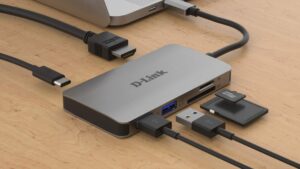
| Ports and accessories | Usually more built-in ports | May require a hub | Laptop |
| Media consumption | Good | Excellent touch-first experience | Tablet |
| Cellular connectivity | Uncommon | Widely available as an option | Tablet |
| Value as an only computer | Strong | Depends heavily on workflow | Laptop |
Why a Laptop Usually Offers Better Value
The Keyboard Is Included
A laptop’s price includes its keyboard, trackpad, display, operating system, and protective outer shell. With a tablet, buyers may need to add a keyboard case, stand, mouse, pen, protective cover, and USB-C hub.
These accessories can transform a tablet into a capable workstation, but they can also bring its total price surprisingly close to—or above—the cost of a better-equipped laptop. Always compare the complete setup rather than the advertised price of the tablet alone.
Desktop Applications Remain More Capable
Windows and macOS support full versions of professional applications used for development, accounting, engineering, video production, data analysis, and business administration.
Tablet applications can be excellent, but the tablet version of an application is not necessarily identical to its desktop counterpart. It may lack plug-ins, automation tools, file-format options, advanced menus, or support for specialized equipment.
Before replacing a laptop with a tablet, list every application you use and confirm that an appropriate tablet version exists. Browser-based work is usually easier to transfer than a workflow involving proprietary desktop software.
Laptops Handle Multitasking Better
Tablet operating systems have made substantial progress. Apple’s current iPad Air, for example, uses iPadOS 26 with a more flexible windowing system. Samsung’s Galaxy Tab S11 provides DeX mode for a desktop-style interface.
Nevertheless, a conventional laptop remains more predictable when several browser windows, spreadsheets, messaging applications, external drives, and monitors are involved. File management and background processes also tend to be less restricted on desktop operating systems.
More Ports Reduce Accessory Costs
Even slim laptops commonly include several USB-C or Thunderbolt ports, a headphone connection, and sometimes USB-A, HDMI, or a card reader. Many tablets provide only one USB-C port.
A hub can solve the problem, but it adds cost and another item to carry. Users who regularly connect storage drives, monitors, cameras, printers, microphones, or Ethernet should examine port selection carefully.
When a Tablet Offers Better Value
Handwritten Notes and Drawing
A tablet is the clear winner when direct interaction with the screen is central to the workflow. Students can annotate lecture slides, professionals can sign documents, and artists can draw without carrying a separate graphics tablet.
The iPad Air supports Apple Pencil Pro and Apple Pencil USB-C, although both are separate purchases. Samsung includes its redesigned S Pen with the Galaxy Tab S11, which improves the tablet’s total value for note-taking and illustration.
Pen support should be evaluated carefully. A generic capacitive stylus is not equivalent to an active pen with pressure sensitivity, palm rejection, tilt detection, and low latency.
Reading, Video, and Travel
A tablet is easier to hold while reading, watching video, reviewing documents, or working in confined spaces. Removing the keyboard also makes it more comfortable on a sofa, train, airplane, or standing worksite.
Cellular models can connect directly to a mobile network without tethering to a phone. This is useful for frequent travelers and mobile professionals, although the cellular version costs more and requires a compatible data plan.
Cameras and Fieldwork
Tablets are more convenient for scanning paperwork, photographing equipment, recording inspections, collecting signatures, and entering information while moving between locations.
A laptop webcam is adequate for meetings, but carrying an open laptop around a warehouse, classroom, hospital, construction site, or retail location is rarely practical.
Simpler Everyday Use
For browsing, email, streaming, video calls, online shopping, and light document editing, a tablet may provide everything a user needs. Its touch-focused interface can also be less intimidating for children, older family members, or anyone who does not need traditional desktop software.
The Hidden Cost of Turning a Tablet Into a Laptop
A tablet may appear less expensive until the following items are added:
- A keyboard and trackpad case
- A compatible active pen
- A protective case or screen protector
- A USB-C hub or docking station
- Additional storage or cloud-storage subscription
- Desktop alternatives for unavailable applications
- A stand for better ergonomics
Apple’s Magic Keyboard gives the iPad Air a function row, trackpad, pass-through charging, and front-and-back protection, but it is an additional purchase. Microsoft takes a similar approach with the Surface Pro, for which the keyboard and pen are generally sold separately.
When comparing value, calculate the cost of the exact setup you intend to use. A tablet with premium accessories should be compared with a similarly priced laptop—not with an entry-level laptop.
What About a Windows 2-in-1?
A detachable or convertible Windows computer offers a compromise between the two categories. The Surface Pro, for example, runs a full desktop operating system while supporting touch and pen input.
This arrangement is useful for users who need Windows applications but also want to draw, annotate, or present directly on the screen. The disadvantages include additional keyboard costs and a kickstand design that can be less comfortable on a lap than a traditional laptop hinge.
A 360-degree convertible laptop offers another alternative. Its keyboard remains attached and folds behind the display when tablet mode is needed. It is usually heavier than a detachable tablet but more stable for typing.
Recommended Device Type by User
| User Type | Better Choice | Reason |
|---|---|---|
| Office worker | Laptop | Better typing, multitasking, and software compatibility |
| University student | Laptop or 2-in-1 | Depends on whether typing or handwritten notes dominate |
| Digital artist | Tablet | Direct pen input and touch controls |
| Programmer | Laptop | Desktop development tools and local environments |
| Frequent traveler | Tablet or lightweight laptop | Choice depends on workload and keyboard needs |
| Home entertainment user | Tablet | Comfortable for video, reading, and browsing |
| Small-business owner | Laptop | Wider accounting, printing, and peripheral support |
| Field worker | Tablet | Easier data collection, cameras, and cellular connectivity |
Product Examples Worth Considering
Apple iPad Air: A Versatile Premium Tablet
The current iPad Air has an M4 chip, 11-inch and 13-inch size options, support for Apple Pencil, and compatibility with Apple’s Magic Keyboard. It is a compelling choice for note-taking, media, illustration, and mobile productivity, but accessory costs must be included in the budget.
Samsung Galaxy Tab S11: Strong Android Productivity
The Galaxy Tab S11 combines an included S Pen with Samsung DeX, expandable microSD storage, and support for an optional keyboard cover. It is particularly appealing to Samsung phone owners and users who want pen functionality without purchasing the stylus separately.
Microsoft Surface Pro: The Tablet That Runs Windows
The Surface Pro is appropriate for buyers who require full Windows applications but want a detachable form factor. Confirm that the software you use supports the selected processor architecture, and remember that the keyboard and pen may not be included.
Apple MacBook Air: A Portable Traditional Laptop
The MacBook Air demonstrates why lightweight laptops remain competitive with tablets. The current M5 version includes a physical keyboard and trackpad, desktop-class macOS, two Thunderbolt 4 ports, MagSafe charging, and advertised battery life of up to 18 hours.
Questions to Ask Before Buying
- Do I need full Windows or macOS applications?
- Will I type for more than an hour at a time?
- Do I need to draw or take handwritten notes?
- Which accessories are included in the advertised price?
- Will I connect external monitors, storage, or other peripherals?
- Does my employer or school require specific software?
- Is this my only computer or a companion to an existing laptop?
Frequently Asked Questions
Can a tablet completely replace a laptop?
Yes, if your work is primarily browser-based or uses tablet-friendly applications. It is less suitable when specialized desktop software, advanced file management, multiple external displays, or extensive peripheral support is required.
Is a tablet better for students?
A tablet is excellent for handwritten notes, textbooks, and annotation. A laptop is better for long papers, research, coding, and specialized academic software. Many students will find a convertible laptop or laptop-plus-basic-tablet combination more flexible.
Which device lasts longer?
Longevity depends on construction, battery health, software support, repairability, and workload. Tablets can receive many years of updates, but a laptop may remain useful longer if its desktop software and storage capacity better accommodate changing needs.
Is a premium tablet better than a budget laptop?
Not automatically. A premium tablet may have a superior display, processor, camera, and pen experience, while the budget laptop may still be more productive because it includes a keyboard and runs full desktop software.
Final Verdict
A laptop offers better value for most people buying one device for work, education, or business. It includes the essential input hardware, supports more software, and handles multitasking and peripherals more effectively.
A tablet provides better value when touch, pen input, portability, cameras, cellular connectivity, or entertainment are the main priorities. It can also be an excellent companion to an existing desktop or laptop.
The deciding factor should be your software and workflow—not which device has the newest processor. If you need to recreate a traditional laptop with several tablet accessories, buying a laptop or Windows 2-in-1 will usually be the smarter investment.