


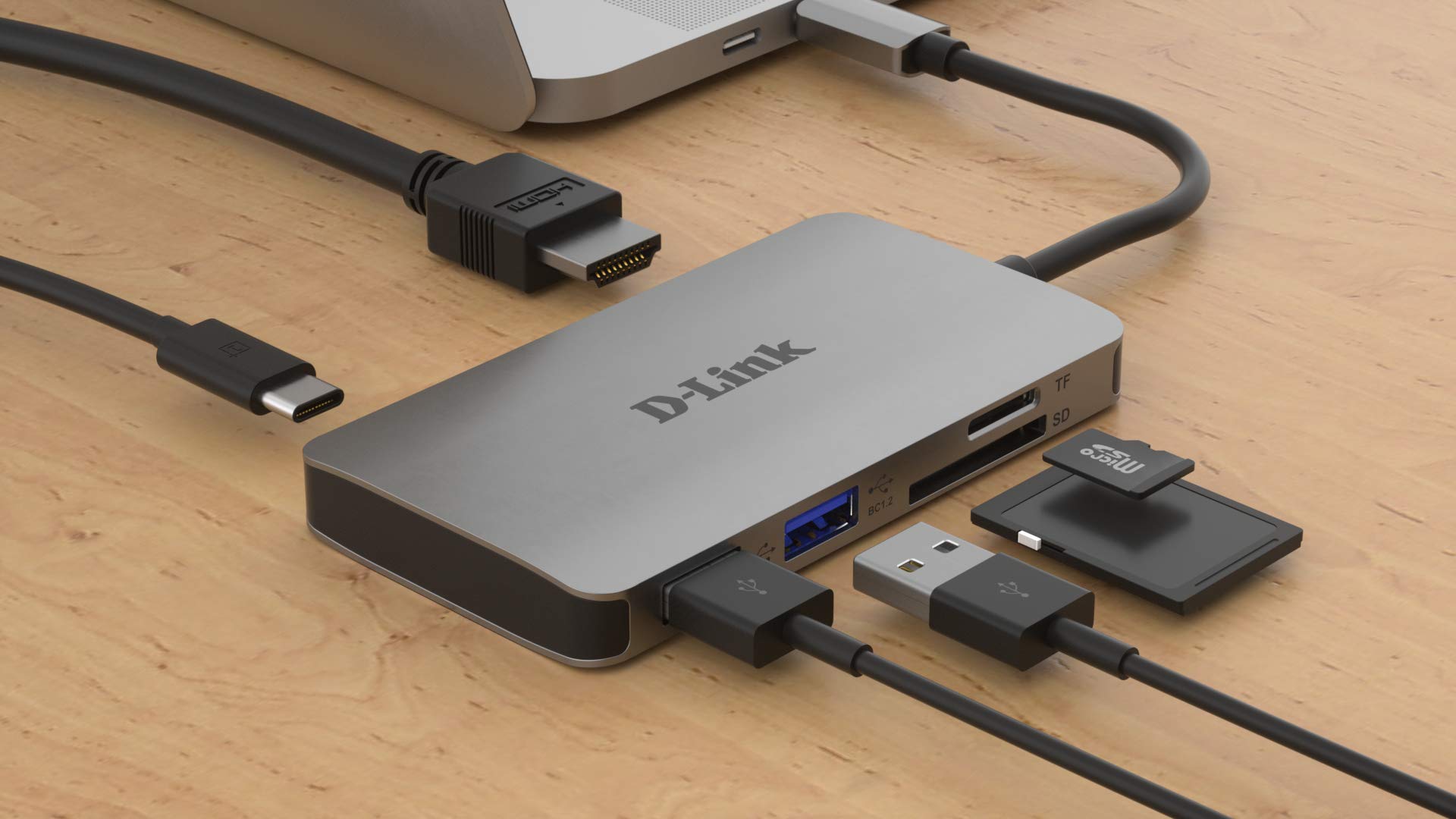
A good USB-C hub or docking station solves this problem by turning one laptop port into a complete desktop connectivity system. However, choosing the right model requires more than counting ports. Charging capacity, display support, data-transfer speed, operating-system compatibility, and the capabilities of your laptop’s USB-C port are equally important.
After comparing specifications, compatibility requirements, and practical use cases, these are the USB-C hubs and docks that stand out for home offices, professional workstations, travel, and multi-monitor setups.
USB-C Hubs and Docking Stations at a Glance
| Product | Best For | Key Advantage | Charging |
|---|---|---|---|
| CalDigit TS5 | Premium workstations | Thunderbolt 5 performance and 15 ports | Up to 140W |
| Anker Prime Thunderbolt 5 Dock | Creators and power users | 14-in-1 design with high-speed connectivity | Up to 140W |
| Plugable UD-ULTC4K | Triple-monitor offices | Supports up to three 4K displays | Up to 100W |
| Satechi 7-in-1 Slim Adapter | Travel and hybrid work | Compact design with Ethernet and 4K HDMI | Up to 80W output |
| Anker 555 USB-C Hub | Best overall value | Balanced selection of ports in a portable format | Up to 85W output |
1. CalDigit TS5 Thunderbolt 5 Dock — Best Premium Dock
Best for: Professional workstations, creative applications, fast external storage, and high-end laptops.
The CalDigit TS5 is designed for users who want a dock capable of supporting demanding workflows for several years. It provides 15 ports and uses Thunderbolt 5, offering substantially more potential bandwidth than ordinary USB-C hubs.
Its connections include four Thunderbolt 5 ports, fast USB ports, 2.5 Gigabit Ethernet, memory-card readers, and audio connectivity. The dock can provide up to 140 watts of host charging, making it suitable for many powerful professional laptops that would charge slowly from a conventional 65-watt adapter.
Thunderbolt 5 can provide up to 80Gbps of bidirectional bandwidth, with Bandwidth Boost increasing display-oriented bandwidth under supported conditions. That makes the TS5 especially attractive for high-resolution monitors, fast storage arrays, video production equipment, and other bandwidth-intensive accessories.
The disadvantage is that many users will not fully utilize this level of performance. A Thunderbolt 4 or basic USB-C laptop can connect with reduced functionality, but it will not gain Thunderbolt 5 speeds simply because the dock supports them. Check CalDigit’s compatibility information carefully before purchasing.
Why buy it: Choose the TS5 if you have a high-end laptop and want premium charging, networking, display, and storage connectivity from one dock.
2. Anker Prime Thunderbolt 5 Docking Station — Best for Creators
Best for: Content creators, designers, video editors, and demanding home-office users.
The Anker Prime Thunderbolt 5 Docking Station is another premium option for modern Thunderbolt laptops. Its 14-in-1 design includes an upstream Thunderbolt 5 connection, two downstream Thunderbolt 5 ports, multiple 10Gbps USB connections, 2.5 Gigabit Ethernet, card readers, audio, and dedicated display outputs.
It can deliver up to 140 watts to a compatible laptop. The front USB-C ports can also share up to 45 watts for charging phones, tablets, and accessories, although those particular ports do not transmit video.
The display section provides HDMI 2.1 and DisplayPort 2.1 connections, but the two outputs cannot be used simultaneously. Depending on the connected laptop, additional displays may be connected through the Thunderbolt ports. Actual display support depends heavily on the laptop’s processor, operating system, and Thunderbolt implementation.
This dock is primarily intended for Thunderbolt 4 and Thunderbolt 5 computers. It is not a universal choice for older Thunderbolt 3 laptops, Chromebooks, or Linux systems, so compatibility should be confirmed before ordering.
Why buy it: It combines powerful laptop charging with fast accessory ports and flexible display connectivity in a polished desktop package.
3. Plugable UD-ULTC4K — Best for Three Monitors
Best for: Financial work, administration, software development, research, and productivity-focused multi-monitor offices.
The Plugable UD-ULTC4K is built around a simple proposition: connecting as many as three 4K monitors to a compatible laptop. It also supplies up to 100 watts of charging and includes Ethernet, an SD card reader, four USB-A ports, and other everyday connections.
The dock uses DisplayLink technology as part of its multi-display solution. DisplayLink sends compressed display data over USB and requires software to be installed on the computer. This approach can enable additional monitors on systems that would otherwise have stricter external-display limits.
For office applications, web browsing, email, coding, and document management, DisplayLink can be extremely useful. However, it is less appropriate for competitive gaming, color-critical editing, or other work where minimal display latency and direct GPU output are essential. Certain protected video services may also behave differently when content is displayed through a software-driven connection.
Corporate users should confirm that they have permission to install the required driver. It is also sensible to verify compatibility following major operating-system updates.
Why buy it: This is one of the most practical choices when screen count matters more than maximum graphics performance.
4. Satechi 7-in-1 USB-C Slim Multiport Adapter — Best Portable Hub
Best for: Business travel, hot-desking, presentations, and hybrid workers.
The Satechi 7-in-1 USB-C Slim Multiport Adapter with Ethernet provides the ports most travelers need without requiring a large power brick or taking up much room in a laptop bag.
Its connections include HDMI with support for up to 4K at 60Hz, Gigabit Ethernet, two 10Gbps USB-A ports, and SD and microSD card readers. USB-C power input supports up to 100 watts, with up to 80 watts available to the connected laptop after the adapter reserves power for its own operation.
That last detail is important. A hub advertised with “100W power delivery” does not necessarily send the full 100 watts to the computer. You also need an appropriately rated charger and USB-C cable, which may need to be purchased separately.
The Satechi adapter is particularly useful when connecting to hotel Ethernet, office projectors, external drives, cameras, and conventional USB accessories. It is less suitable than a powered desktop dock for multiple monitors or a large collection of permanently connected equipment.
Why buy it: It covers the essential travel connections while remaining slim enough to carry every day.
5. Anker 555 USB-C Hub — Best Overall Value
Best for: General home-office use, students, and buyers who want a balanced selection of ports.
The Anker 555 USB-C Hub is an 8-in-1 adapter that strikes a useful balance between portability, speed, and connectivity. It includes 4K 60Hz HDMI, Gigabit Ethernet, SD and microSD readers, and several high-speed USB data connections.
The power-input port accepts up to 100 watts, while approximately 85 watts can be passed through to the laptop. As with most portable hubs, the charger is not included, so owners should factor a suitable USB-C power adapter into the total cost.
Its 10Gbps data connections are fast enough for many portable SSDs and general file-transfer tasks, although real-world performance still depends on the laptop, storage device, cable, and other traffic sharing the USB connection.
This model works well for someone who needs Ethernet, a monitor, card readers, and conventional accessories but does not require the greater bandwidth or multiple-display capabilities of an expensive Thunderbolt dock.
Why buy it: It offers the ports most laptop owners actually use without the cost or bulk of a full desktop docking station.
USB-C Hub vs. Docking Station: Which Should You Buy?
A USB-C hub is usually compact, portable, and powered by the laptop or a separate USB-C charger. It is ideal for travel and simple desk setups. A docking station is generally larger, has its own power supply, and is intended to remain on a desk with monitors and accessories permanently connected.
Choose a hub if you primarily need HDMI, Ethernet, card readers, and a few USB ports. Choose a dock if you need multiple monitors, faster networking, more reliable charging, numerous accessories, or high-performance external storage.
What to Check Before Buying
1. Your Laptop’s USB-C Capabilities
USB-C describes the connector’s shape, not everything the port can do. A USB-C port may support basic data only, while another may add charging, DisplayPort Alt Mode, USB4, or Thunderbolt. Verify your laptop’s specifications before buying a display-focused hub.
2. Monitor Support
Resolution, refresh rate, monitor count, and extended-desktop support depend on both the hub and the computer. Mac and Windows laptops can handle multi-monitor docks differently, and external-display limits vary among Apple silicon chips. Never assume that two HDMI ports guarantee two independent external desktops.
3. Charging Requirements
Choose a dock that supplies enough power for your laptop. Thin productivity notebooks may operate comfortably with 65 watts, while professional and gaming laptops can require 100 watts or more. Some high-performance computers may still need their original charger for maximum performance.
4. Data Speed
A 10Gbps USB hub is sufficient for most external SSDs and peripherals. Thunderbolt 4 or Thunderbolt 5 becomes more valuable when connecting several fast devices, very high-resolution displays, or professional storage systems simultaneously.
5. Ethernet Speed
A 2.5GbE dock will not automatically make the internet faster. Your router, switch, cabling, network storage, and internet service must support comparable speeds.
Frequently Asked Questions
Can every USB-C port connect to a monitor?
No. The port usually needs DisplayPort Alt Mode, USB4, or Thunderbolt support. DisplayLink docks are an exception because they use software-driven USB graphics, but they require a compatible driver.
Will a Thunderbolt dock work with USB-C?
Some Thunderbolt docks offer backward compatibility, but features and bandwidth may be reduced. Always check the manufacturer’s compatibility list for the exact laptop and operating system.
Do USB-C hubs reduce performance?
Multiple devices share the bandwidth available from the laptop’s host connection. For normal office accessories, this is rarely noticeable. It can matter when several fast drives, displays, and network connections are used at the same time.
Final Verdict
The CalDigit TS5 is the premium choice for a high-performance Thunderbolt 5 workstation, while the Anker Prime Thunderbolt 5 Dock offers an excellent combination of charging and modern connectivity for creators.
For three-monitor productivity, the Plugable UD-ULTC4K is the most specialized option. Travelers should consider the compact Satechi 7-in-1 Adapter, while the Anker 555 delivers the best balance of useful ports and everyday value.
Whichever model you choose, verify your laptop’s video output, charging requirements, and external-display limits first. Compatibility—not the number printed beside the word “ports”—is what determines whether a hub or dock will improve your setup.