


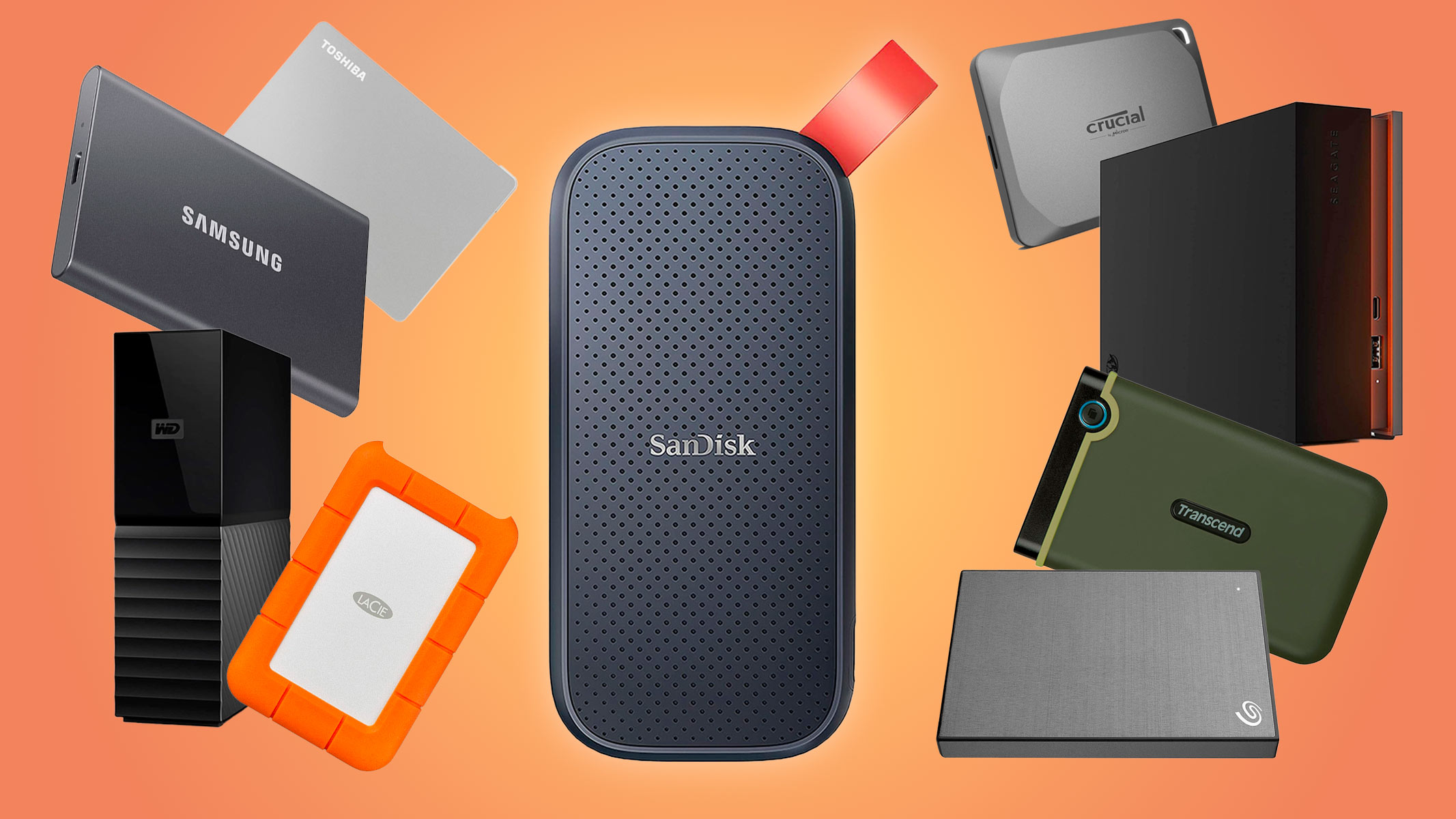
An external solid-state drive is one of the easiest ways to expand a laptop’s storage, transfer large projects or carry important files between computers. Compared with a conventional portable hard drive, an SSD is faster, quieter and less vulnerable to damage from ordinary movement because it has no spinning disk.
However, advertised speeds can be misleading. A drive rated for 2,000MB/s will not reach that performance when connected to a 5Gbps or 10Gbps USB port. Security also varies: password software, operating-system encryption and keypad-authenticated hardware encryption are not the same thing.
We selected six external SSDs for different requirements, including everyday storage, rugged travel, professional video work and highly sensitive information.
Best External SSDs at a Glance
| External SSD | Advertised maximum speed | Best for |
|---|---|---|
| Samsung T9 | Up to 2,000MB/s | Best overall |
| Crucial X9 Pro | Up to 1,050MB/s | Best everyday value |
| Kingston XS2000 | Up to 2,000MB/s | Compact high-speed storage |
| Samsung T7 Shield | Up to 1,050MB/s read | Rugged travel |
| OWC Envoy Ultra | Over 6,000MB/s | Professional performance |
| Apricorn Aegis Padlock SSD | USB 3.0-class performance | Sensitive and regulated data |
Advertised sequential speeds represent ideal conditions. Actual performance depends on capacity, computer, interface, cable, file size, temperature and workload.
1. Samsung T9: Best Overall External SSD
The Samsung Portable SSD T9 offers an excellent combination of speed, capacity options, thermal management and password protection.
It uses a USB 3.2 Gen 2×2 interface and delivers advertised read and write speeds of up to 2,000MB/s. This is fast enough for transferring large photo libraries, loading games and working with high-resolution media.
Reaching that speed requires a computer with a 20Gbps USB 3.2 Gen 2×2 port. When connected to a standard 10Gbps USB port, the drive will continue working but cannot deliver its full advertised performance.
Samsung’s Dynamic Thermal Guard helps manage operating temperature during sustained workloads. The T9 is also rated to survive drops from up to three meters under specified test conditions.
AES 256-bit hardware encryption and optional password protection are available through Samsung’s software. Users should store the password securely because encryption can make recovery impossible if the credentials are lost.
Choose it if: You want a fast, versatile external SSD for work, content creation, gaming and general storage.
2. Crucial X9 Pro: Best Everyday Value
The Crucial X9 Pro is a sensible alternative for buyers whose computers have ordinary 10Gbps USB connections.
It offers advertised read and write speeds of up to 1,050MB/s through USB 3.2 Gen 2. That is approximately the practical limit of a 10Gbps connection and is sufficient for backups, photography, document libraries and most everyday media workflows.
The compact aluminum design includes a rubberized base and a lanyard opening. IP55 resistance provides limited protection against dust and water, while Crucial rates the drive for drops of up to two meters.
Compatibility covers Windows, macOS, Android, iPadOS and Linux, although some mobile devices may need additional adapters or external power. Capacities are available up to 4TB.
The X9 Pro is not the fastest SSD in this guide, but paying for a 20Gbps or Thunderbolt drive offers little benefit if your current computer cannot support the faster interface.
Choose it if: You need dependable portable storage without paying for speed your computer cannot use.
3. Kingston XS2000: Best Compact High-Speed SSD
The Kingston XS2000 delivers up to 2,000MB/s read and write performance in a remarkably small enclosure.
Like the Samsung T9, it relies on USB 3.2 Gen 2×2. Buyers should verify support for 20Gbps USB before choosing it specifically for speed. Otherwise, it will function at the lower rate supported by the host computer.
The XS2000 is available in capacities from 500GB to 4TB and weighs approximately 29 grams. Kingston includes a removable rubber sleeve that contributes to its IP55 resistance and protection against drops from up to six feet under controlled conditions.
Its combination of size, speed and resistance makes it useful for photographers and videographers who need to empty memory cards or move large projects while traveling.
The included cable is USB-C to USB-C. Older computers with only USB-A may require a compatible high-speed adapter or another cable.
Choose it if: You want 20Gbps performance in one of the smallest available portable designs.
4. Samsung T7 Shield: Best Rugged Portable SSD
The Samsung T7 Shield prioritizes durability over maximum transfer speed.
Its rubberized exterior helps improve grip and protect the drive while traveling. The IP65 rating provides greater dust and water resistance than the IP55 ratings carried by several competitors. Samsung also rates the drive for drops from up to three meters.
Performance reaches up to 1,050MB/s read and 1,000MB/s write through USB 3.2 Gen 2. Although that is roughly half the headline speed of the T9, it is compatible with a broader range of 10Gbps computers and remains fast enough for most backup and editing tasks.
The drive supports AES 256-bit hardware encryption with optional password protection through Samsung software. It is available in multiple capacities and includes cables for USB-C and USB-A connections in common retail packages.
No consumer SSD should be considered indestructible. The port should be clean and dry before connection, even when the enclosure carries an IP rating.
Choose it if: You frequently work outdoors or carry storage through environments where drops, dust and splashes are realistic concerns.
5. OWC Envoy Ultra: Best for Professional Performance
The OWC Envoy Ultra is designed for professional workflows that can benefit from Thunderbolt 5 bandwidth.
OWC advertises transfer speeds exceeding 6,000MB/s when the drive is connected to a compatible Thunderbolt 5 computer. This level of performance can help video editors, visual-effects professionals and high-volume photographers work directly from external storage.
The drive also works with compatible Thunderbolt 3, Thunderbolt 4 and USB4 computers, but maximum speeds vary according to the connection. It is not intended for ordinary USB-C ports that lack Thunderbolt or USB4 support.
An IP67-rated, fanless aluminum enclosure protects against dust and temporary water exposure under defined conditions. The built-in cable is convenient and contributes to the sealed design, although a damaged captive cable is less easily replaced than a detachable one.
The Envoy Ultra is expensive and unnecessary for document storage or routine backups. Its value appears when transfer delays directly affect paid professional work.
Choose it if: You own a Thunderbolt 5 workstation and regularly work with extremely large media files.
6. Apricorn Aegis Padlock SSD: Best for Sensitive Data
The Apricorn Aegis Padlock SSD approaches security differently from ordinary consumer drives. A physical keypad on the enclosure authenticates the user before the storage becomes accessible.
Encryption and PIN verification occur within the device, so no special software needs to be installed on the connected computer. Apricorn uses hardware-based 256-bit AES-XTS encryption and includes administrative and user access features intended for professional environments.
The enclosure is IP66 rated against dust and water exposure and uses a built-in USB cable. Performance is slower than modern NVMe-based portable drives, but speed is not the primary reason to purchase this model.
A keypad-encrypted SSD may be appropriate for organizations handling medical, financial, legal or other confidential records. Buyers working under formal security requirements should verify the exact model’s validation and compliance status rather than assuming every version carries the same certifications.
Choose it if: Hardware-based access control and software-free encryption matter more than maximum transfer speed.
Understanding External SSD Speeds
USB 3.2 Gen 1
This interface operates at up to 5Gbps. Real-world storage performance is considerably lower than the raw interface rate and cannot fully use a 1,000MB/s SSD.
USB 3.2 Gen 2
A 10Gbps interface commonly supports portable SSD speeds around 1,000MB/s. It is broadly available and provides the best balance for most users.
USB 3.2 Gen 2×2
This 20Gbps connection enables drives such as the Samsung T9 and Kingston XS2000 to approach 2,000MB/s. Support is not universal, even when the computer has a USB-C connector.
USB4 and Thunderbolt
USB4, Thunderbolt 3, Thunderbolt 4 and Thunderbolt 5 can support faster external storage, but capabilities differ between computers. Always check the exact port specifications before buying an expensive high-performance SSD.
How to Protect Data on an External SSD
Enable encryption
Use the manufacturer’s hardware-encryption system or trusted operating-system tools such as BitLocker or FileVault. Encryption protects lost or stolen storage, but it also makes password management critical.
Keep another copy
An external SSD is not a complete backup if it contains the only copy of your files. Drives can be lost, stolen, physically damaged or corrupted. Important information should exist in at least three copies, using two different storage types, with one copy kept in another location.
Eject the drive safely
Disconnecting storage during a write operation can corrupt files. Use the operating system’s eject function and wait for active transfers to finish before unplugging the cable.
Use the correct cable
USB-C describes the connector, not its speed. A charging cable may transfer data slowly or not at all. Use the cable supplied with the SSD or a certified replacement rated for the required interface.
Frequently Asked Questions
Is an external SSD better than an external hard drive?
An SSD is faster, smaller and more resistant to movement. A hard drive usually provides more storage per dollar and remains useful for large archives that do not need frequent transport or high transfer speeds.
Can I run applications or games from an external SSD?
Often, yes. Performance depends on the interface, operating system and application. Some game consoles allow external drives only for storing certain games rather than playing current-generation titles directly.
How much capacity should I buy?
One terabyte is sufficient for documents and moderate photo collections. Video editors and gamers may prefer 2TB or 4TB. Buying slightly more capacity than immediately required can reduce the need for another drive later.
Final Verdict
The Samsung T9 is the best overall external SSD for users with a compatible 20Gbps port. The Crucial X9 Pro provides better value for ordinary 10Gbps computers, while the Kingston XS2000 combines high speed with exceptional portability.
Choose the Samsung T7 Shield for rugged travel, the OWC Envoy Ultra for Thunderbolt 5 professional work and the Apricorn Aegis Padlock SSD when hardware-based security is the main requirement. Most importantly, never allow any portable drive—regardless of price or durability—to hold the only copy of an important file.